Perfil Falso
How to Remove an Instagram Profile Impersonating Your Brand
Branddi · Published on · Updated on
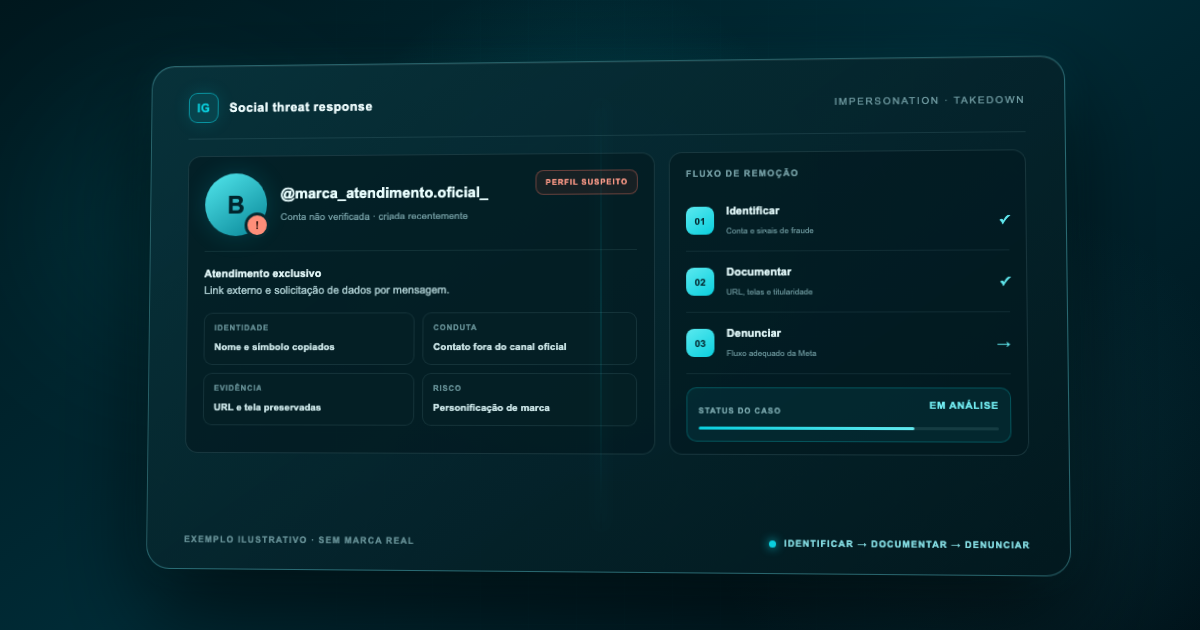
To remove an Instagram profile impersonating your brand, preserve the evidence before reporting it, determine whether the case involves business impersonation or trademark infringement, and use the appropriate Meta channel. Submit exact URLs and ownership documents, retain the case confirmation, and monitor for replacement accounts after Meta's decision.
Can a company report a profile impersonating its brand?
Yes. A company can use Instagram’s profile reporting function and assess the trademark form when trademark rights are involved. Classification should match the observed conduct. Check what the available flow requests; do not treat the personal impersonation form as a business reporting form.
This guide focuses specifically on Instagram removal. For definitions, risks, and prevention across social networks, see What is a fake profile and how can you protect your brand?.
What should you do before reporting the fake profile?
Do not begin by messaging the operator. Preserve the account first, because its username, bio, posts, and URL may change once the operator realizes it has been detected.
Record:
- The full profile URL and exact username, including dots and underscores.
- Screenshots of the profile, bio, picture, highlights, and relevant posts.
- The collection date, time, and time zone.
- Links to posts, reels, ads, or stories that are still accessible.
- Messages requesting data, payment, or contact outside Instagram.
- A comparison with the company's official account and website.
- Consumer reports, without exposing unnecessary personal data.
A screen recording may demonstrate the path from the profile to its bio link and an external page. Preserve the original capture files as well. If the evidence may support additional action, legal counsel can define further integrity and documentation requirements.
How do you confirm impersonation rather than mere similarity?
A similar name alone does not prove that an account claims to be official. Assess the combined signals: use of the name and logo, a bio written as official customer service, reuse of company images, product offers, payment instructions, or credential requests.
- Observed signal — Recommended evidence — Potentially appropriate route
- Account claims to be the official channel — Profile, bio, and messages — In-app impersonation report
- Registered name or logo is used commercially — Profile, posts, and trademark certificate — Trademark form
- A real person is being impersonated — Fake profile and that person's ID — Personal impersonation form
- Protected content was copied — Each content URL and proof of authorship — Copyright channel
- Account criticizes the company without claiming to be official — Full page context — Individual assessment; impersonation may not apply
- Reseller, partner or editorial account accurately describes its relationship with the company — Authorization and presentation context — Confirm legitimacy before reporting; mentioning a brand is insufficient
Before submitting, ask the commercial owner whether the account belongs to an authorized partner. If authorization exists but the presentation creates confusion, record the specific issue and assess correction with the responsible team. Do not turn a commercial disagreement into an impersonation report without evidence.
Do not submit every category as a trial. A coherent report tied to the observed conduct and the corresponding evidence is easier to audit.
How do you report the account inside Instagram?
The current Help Center guidance starts from the profile and asks users to follow the available options:
- Locate the profile and compare its username with the preserved evidence.
- Open the profile’s Options menu.
- Select Report and follow the classification shown on screen.
- Choose the reason matching the facts and provide the requested information.
- Retain any confirmation and record which asset was reported.
Labels vary by device and version. The official source is https://help.instagram.com/192435014247952, accessed October 20, 2026. Do not choose an incompatible category simply because it appears first.
That page also describes checking report status and points to guidance for disagreeing with a decision. A response does not necessarily mean removal. Check whether the profile and relevant content remain available; seeing less of an account in your own feed does not prove removal for other users.
When should you use Meta's trademark form?
Use this route when the account uses a protected name, slogan, symbol, or design without authorization and the company can demonstrate trademark rights. The official form is at https://help.instagram.com/contact/230197320740525, accessed October 20, 2026.
The form states that it is intended for registered trademark infringement and that other types of claims will not be handled through that channel. It may request:
- the reporter's relationship to the rights owner;
- the rights owner's name;
- a professional contact email;
- trademark details such as jurisdiction and number;
- proof of ownership or authorization to represent the owner;
- a link to the company's official online presence;
- exact URLs for the reported profile and content;
- a factual explanation of the infringement.
Meta also states that it may provide the content owner with the rights owner's name, the reporter's email address, and the nature of the report. Use an appropriate corporate address and coordinate the submission with legal or intellectual property teams.
Is the personal impersonation form suitable for a company?
The form at https://help.instagram.com/contact/636276399721841, accessed October 20, 2026, presents situations involving impersonation of individuals. Do not use it as the first option for an organization. If a named employee or executive is also impersonated, assess the route with that person. Do not submit personal documents for a purely business case.
What changes if the account is on Facebook?
Facebook has separate reporting paths for a profile and a Page. Its official guidance says to open the asset, select Options below the cover and choose Report profile or Report Page, as appropriate: https://www.facebook.com/help/174210519303259, accessed October 20, 2026.
Record the Facebook URL separately from the Instagram account, even if both use the same name. A decision on one network does not prove removal on the other. The official page describes impersonation of people; for an organization, check the actual options and applicable basis. Do not upload personal documents to fill a gap in business verification.
Link the reference numbers to the same incident but assign an outcome to each asset. For trademark issues, follow the relevant product’s intellectual property guidance. Instagram’s clicks should not be presented as Facebook instructions, and a single closed ticket should not conceal an account still active elsewhere.
Who should submit the report for the brand?
Assign an authorized internal or contracted owner according to channel requirements. Keep corporate details, official channels, relevant registrations and representative authorization ready for review. Every report still needs incident-specific URLs and facts. One owner for the case history prevents conflicting submissions and identifies who should answer requests for additional information.
What should you do if Meta does not remove the profile?
A rejection does not mean that identical repeat reports will work. Review the classification and evidence:
- Confirm that the URL still points to the correct account.
- Verify that the report used the appropriate impersonation, trademark, or other rights route.
- Supply missing documents and highlight the conduct creating confusion.
- Reply through the channel named in Meta's communication, when available.
- Record the decision and stated reason.
- Ask legal counsel to assess other measures when fraud, threats, or losses are involved.
There is no universal removal deadline, and the result depends on platform review. Avoid promising a “24-hour takedown” when you do not control the channel. For the broader process, read Digital takedown: how removal works.
What if customers have already been contacted?
Treat the platform report and incident response as parallel workstreams. Brief customer service and communications teams, preserve reports, publish official channels, and warn customers only about confirmed facts. Do not ask people to expose IDs or receipts publicly.
If the account uses an external link, payment request, credential collection, or sponsored ad, log each asset separately. One scam may require action against the profile, content, ad, domain, and payment method. The fake website reporting guide explains the response to the external address.
How should recurrence be monitored after removal?
Removing one account may not end the attack. The operator can create a new username, exchange characters, add “support” or “official,” and reuse the same external link.
Monitor brand-name combinations, spelling variations, customer-service terms, and logo images. Record relationships between accounts to identify reused infrastructure. Track at least:
- time from detection to evidence preservation;
- time from documentation to submission;
- confirmed removals, not merely reports sent;
- repeat accounts and new usernames;
- customers contacted before and after action.
The correct outcome metric is confirmed removal. Report volume measures effort, not results.
What should you avoid when seeking removal?
Do not organize mass reports, invent ownership, alter screenshots, or label a critical account as impersonation without evidence. Do not attempt to access the fake account, negotiate credentials, or threaten its operator before preserving the evidence.
Another mistake is reporting only the username while ignoring individual content. When posts, ads, or links materialize the infringement, preserve their URLs. If the account changes its name, that documentation maintains the case chronology.
Which questions remain before submitting?
Does verification automatically remove fake profiles?
No. A clear official presence helps customers and provides context, but it neither prevents imitator accounts nor replaces reporting and monitoring.
Do you need a registered trademark to report the account?
The in-app and personal impersonation routes have their own criteria. The trademark form explicitly asks for a registered trademark and supporting proof. Use the route compatible with the right and conduct observed.
Can you report without an Instagram account?
Form availability and requirements may vary. The personal impersonation form exists for certain cases outside the app, but business impersonation and trademark infringement should follow the appropriate channel.
Should the company warn the public immediately?
Preserve the evidence and confirm the risk first. If customers are being approached, a factual notice through official channels can reduce harm, provided it does not expose personal data or interfere with the investigation.
Branddi organizes evidence and supports removal within the agreed scope. To align responsibilities and channels, see Branddi Digital Fraud, accessed October 20, 2026.
Related articles
-
Executive impersonation cases explode: how to protect yourself?
Do you know what executive impersonation is and how it can damage your brand and leadership image? Learn more with Branddi!
-
What are fake profiles: learn how to protect your brand
Many companies ignore the impact that fake profiles have on their brand. Join Branddi and understand what fake profiles are and how to protect against them!